

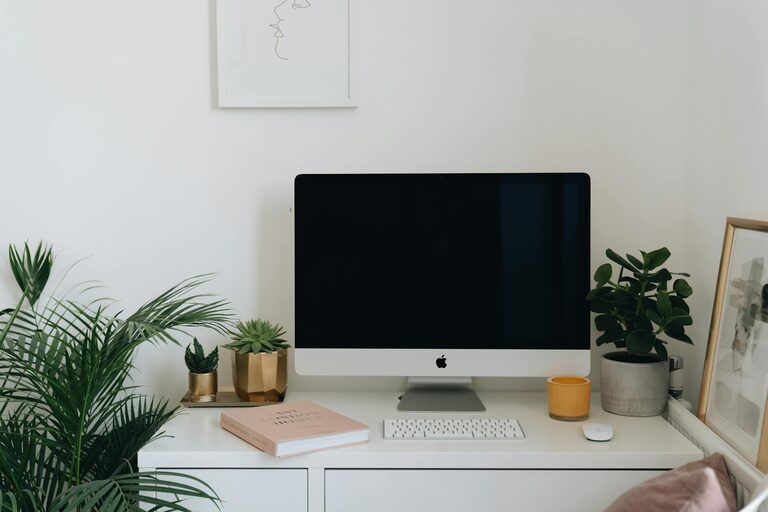
Creating a home office that balances relaxation and productivity is essential for anyone working from home. A well-designed workspace can improve focus, reduce stress, and help maintain a healthy work-life balance. If you’re looking to enhance your home office, here are some practical tips to help you design a setup that supports both comfort and efficiency.
Choose the Right Location
Find a Quiet, Dedicated Space
Select a spot in your home that is relatively free from distractions. A dedicated room or a quiet corner will help signal to your brain that it’s time to focus. Avoid areas with excessive foot traffic or noisy appliances.
Consider Natural Light
Position your desk near a window if possible. Natural light can boost your mood and energy, but be mindful of screen glare. If natural light is limited, invest in good quality artificial lighting that mimics daylight.
Invest in Comfortable and Functional Furniture
Select an Ergonomic Chair
A comfortable chair with good lumbar support is a must-have. It helps prevent back pain and allows you to sit comfortably for longer periods. Adjustable height and armrests are a bonus.
Choose a Suitable Desk
Your desk should be the right height and size for your needs. It should comfortably fit your computer, keyboard, and any other tools you frequently use without feeling cramped.
Consider Standing Options
If you prefer, a sit-stand desk or a desk converter can allow you to alternate between sitting and standing. This can reduce fatigue and improve circulation during long workdays.
Organise Your Workspace
Declutter Regularly
A tidy desk helps improve concentration. Use organisers, trays, and shelves to store documents and stationery neatly out of sight but within easy reach.
Use Cable Management Solutions
Loose cables can create visual chaos. Cable clips, sleeves or under-desk trays can keep your wires organised and prevent them from tangling.
Keep Essentials Close
Keep frequently used items such as notepads, pens, and phone chargers nearby. This avoids unnecessary distractions from searching around.
Create a Calming Atmosphere
Choose Soothing Colours
Soft, neutral colours like pale blue, light grey, or beige promote a calming atmosphere. Avoid overly bright or harsh colours that can cause eye strain or agitation.
Add Personal Touches
Include items that make you feel relaxed and happy, such as plants, photos, or artwork. Plants, in particular, add life and can improve air quality.
Control Noise
Consider using noise-cancelling headphones or a white noise machine if you can’t control background noise. Soft music or nature sounds can also improve focus and reduce stress.
Prioritise Good Lighting
Use Layered Lighting
Combine natural light with ambient and task lighting. A desk lamp with adjustable brightness can help reduce eye strain during detailed work.
Avoid Screen Glare
Position screens at right angles to windows to minimise reflections. Anti-glare screen protectors can also help reduce discomfort.
Make Technology Work for You
Update Your Equipment
Ensure your computer, internet connection, and peripherals are reliable and up to date. Slow technology can cause frustration and reduce productivity.
Use Ergonomic Accessories
A separate keyboard and mouse can prevent repetitive strain injuries. Ergonomic models designed to reduce wrist strain are a great investment.
Use Productivity Tools
Consider apps or software for time management, task tracking, or focus enhancement techniques such as the Pomodoro method. These can help you stay organised and motivated.
Establish Boundaries and Routine
Set Clear Work Hours
Avoid blurring the line between work and home life by setting consistent working hours. Communicate these to family or housemates to minimise interruptions.
Take Regular Breaks
Incorporate short breaks to stretch, walk around, or relax your eyes. This helps maintain energy levels and reduces fatigue.
End the Day with a Ritual
Create a consistent routine to signify the end of the workday, such as closing your laptop, tidying your desk, or changing clothes. This helps mentally separate work from personal time.
Promote Comfort and Well-being
Maintain Good Posture
Adjust your chair, desk height, and screen so that your posture is upright and natural. Use footrests if needed to support your legs.
Stay Hydrated and Eat Well
Keep a water bottle at your desk and have healthy snacks nearby. Staying hydrated and nourished supports concentration and energy.
Exercise Your Eyes
Remember the 20-20-20 rule: every 20 minutes, look at something 20 feet away for 20 seconds to reduce eye strain.
Final Thoughts
Designing a home office that feels both relaxing and productive does not require a complete overhaul. Simple changes like improving lighting, organising your space, and adding personal touches can make a significant difference. Prioritising your comfort and establishing clear routines will help you create a workspace where you can focus effectively while feeling calm and refreshed. With the right setup, working from home can become a more enjoyable, balanced experience.